
How it works
How a scholarship works in the Philippines, end to end.
Finding a scholarship in the Philippines usually means checking a dozen sites last updated years ago, and running one on a spreadsheet. Every open scholarship sits in one list here. Students are told honestly whether they qualify, and the people funding them get the tools to run a round.
Which of these are you?
From "does this even exist?" to "I have applied."
Looking around needs no account at all. Everything after that runs off one profile you fill in a single time.
Step 1
The profile that fills every form
School, course, year level, grades and where you live, entered one time. Every scholarship you open afterwards is checked against it.
- Your address is stored down to your city, so nearby scholarships can find you
- Records and certificates go into a private vault, uploaded once
- You can read the whole feed before you fill in any of it
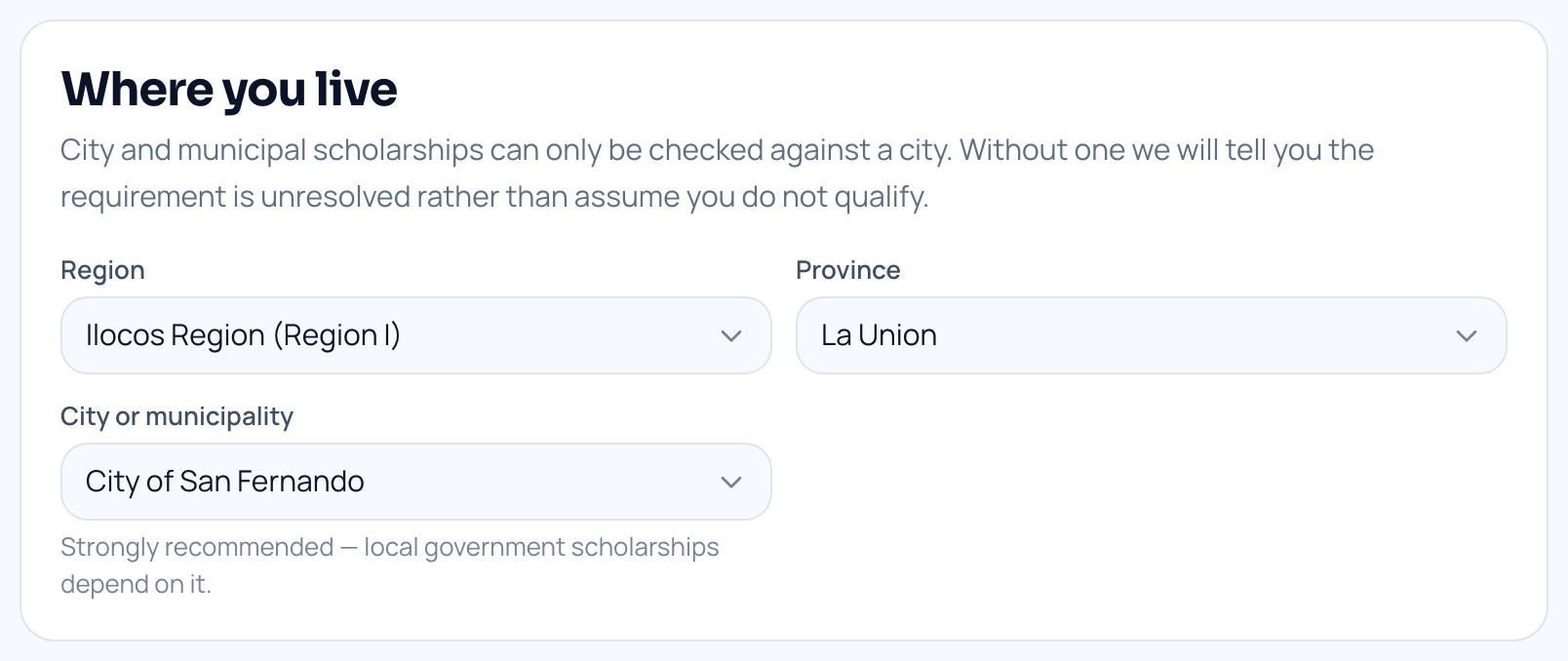
Where a student records the city they live in. Example details shown. Step 2
Every rule checked against your profile, in the open
A scholarship lists the rules its sponsor set. We check each one and show you the result — met, not met, or not yet known.
- A blank field reads as not yet known, never as a rule you failed
- The rules are the sponsor’s own, written out where you can read them
- Closing dates come from the sponsor’s open round, so "closes in 3 days" means it
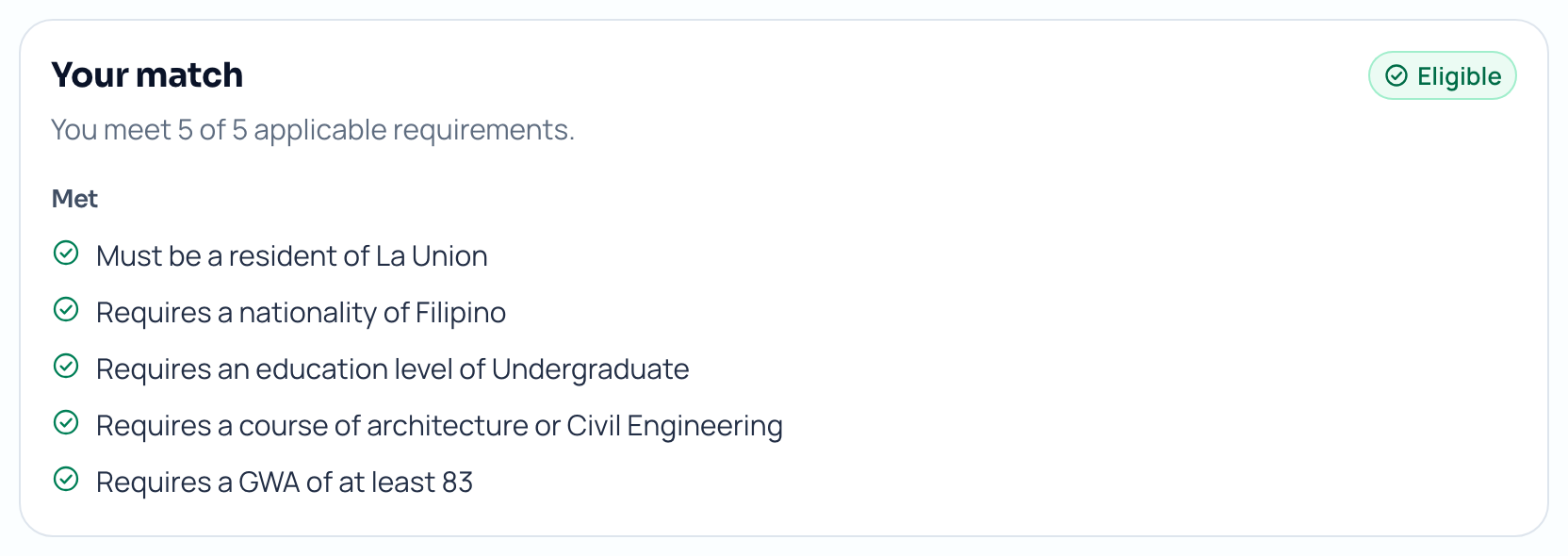
The match panel, listing each rule and whether the student meets it. Example details shown. Step 3
Applying reuses what you already gave us
Your details fill the form. You answer only the extra questions this one sponsor asked, and attach papers you have already uploaded.
- A record goes into your vault once and is attached as many times as you need
- Editing your profile later never rewrites a form already under review
- You can save and come back — nothing has to be finished in one sitting
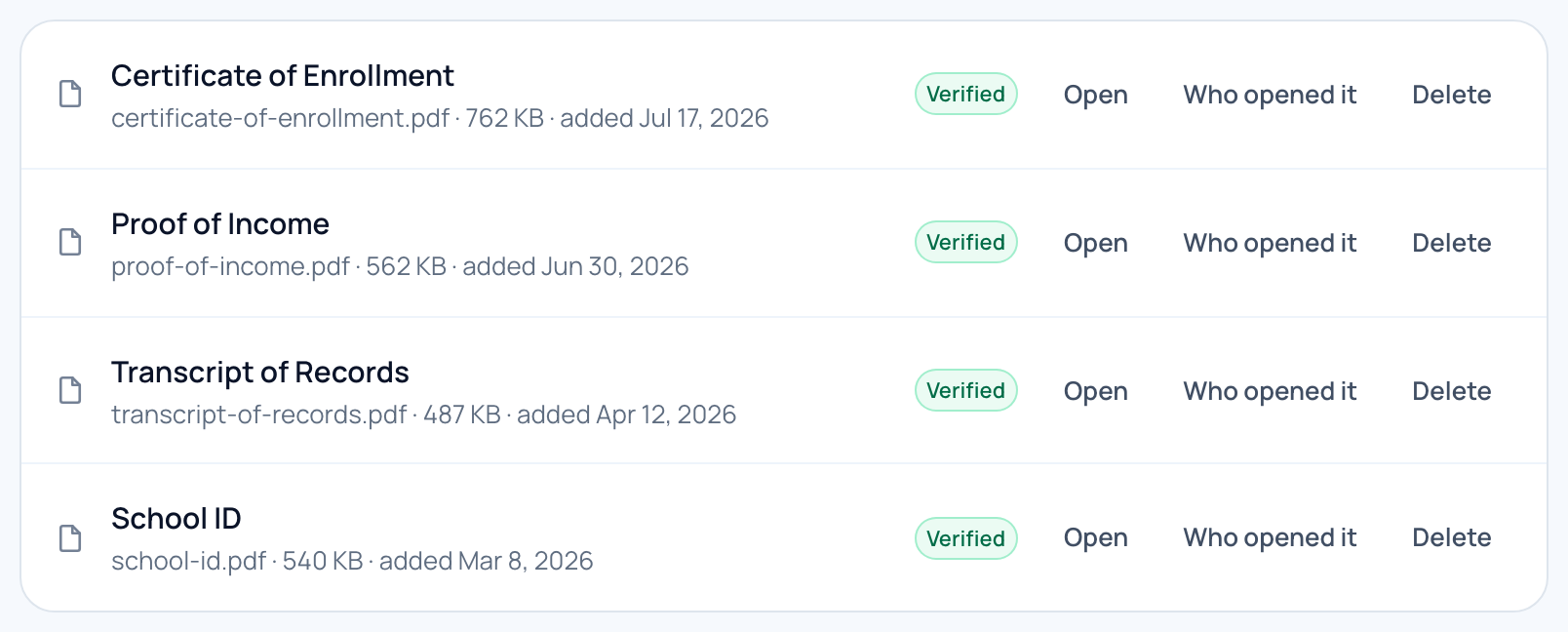
A student’s document vault, where each paper is uploaded once. Example details shown. Step 4
Every form you sent, with a dated history
Follow each one from sent, through review and shortlist, to the decision. No waiting on an email that may never come.
- Each stage carries its date, so you can see how long a review has been running
- Nobody outside your account can open a file in your vault — a sponsor sees only that you attached it
- We email you when your form moves, and the decision shows here too
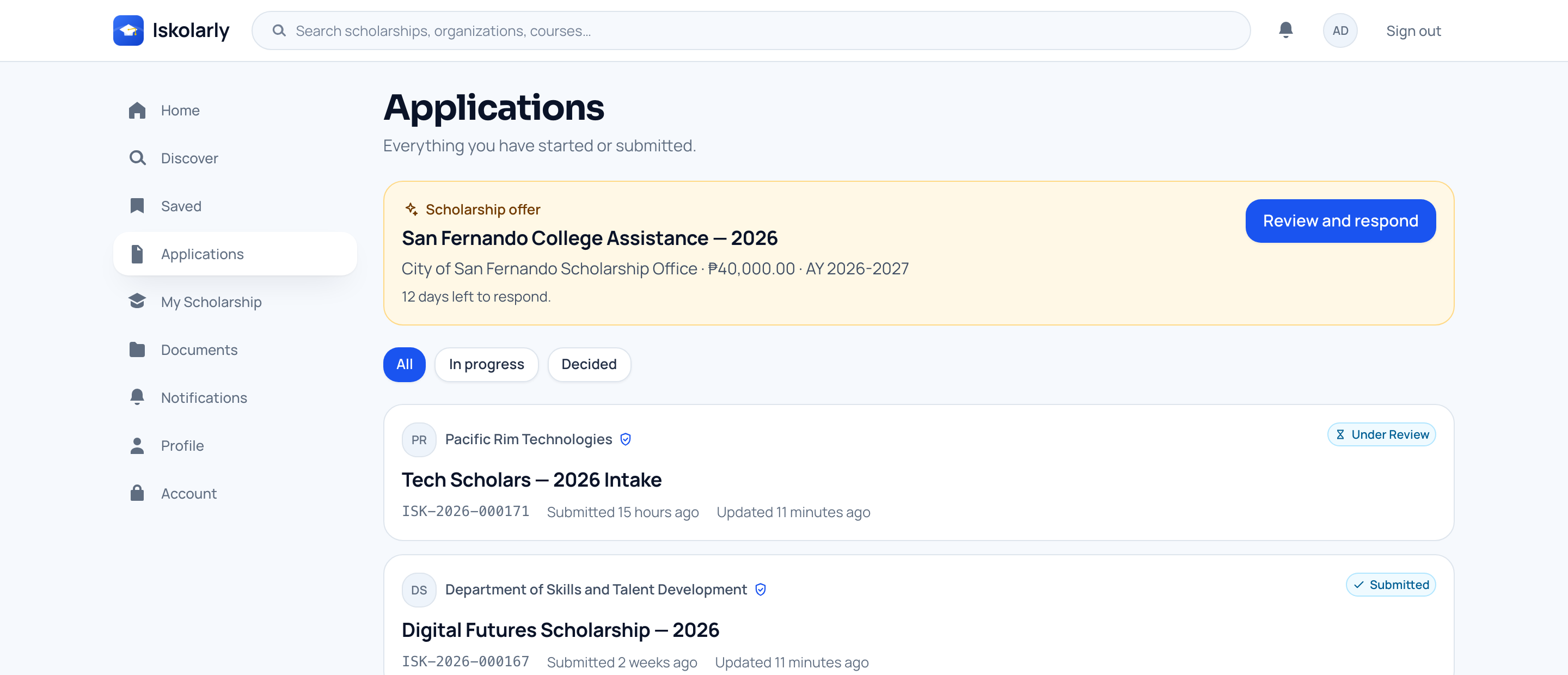
A student’s list of sent forms and the stage each one has reached. Example details shown.


What a student ends up with
- profile behind every form you send
- One
- cost to students, always
- Zero
- stage visible, with a date
- Every
One round, from the day you open it to the day you pick.
A foundation with a yearly award. A public office giving assistance. One person funding one student. The work is the same, and it is not spreadsheets.
Step 1
Publish a round, not a poster
A scholarship lives for years. Each round carries its own dates, places, funding, rules and papers, so opening next year’s never disturbs this year’s.
- A four-step form: the basics, who can apply, the papers you want, then a review
- Set a grade average and the places you cover; both are checked for you afterwards
- A government or city office can publish only inside the area our team has confirmed it covers
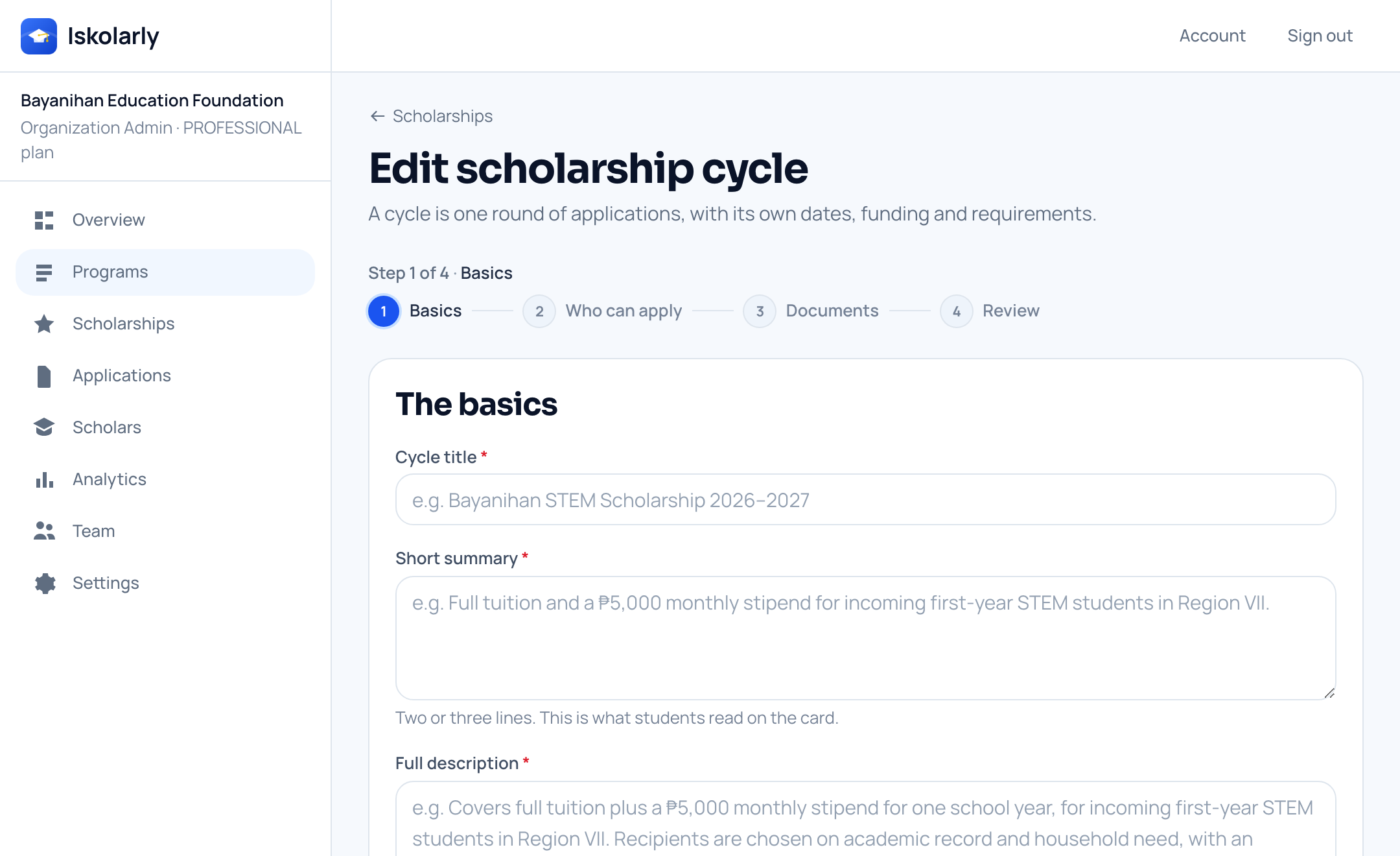
The four-step form for setting up a round. Example details shown. Step 2
Rules are checked the moment someone applies
Your rules run as each form arrives. Everyone who applies reaches you already measured against what you asked for.
- Sort by best match, and filter by stage, course or region
- Nothing is decided by a model — the rules are the ones you wrote down
- A blank detail shows as not yet known on that rule, never as failed
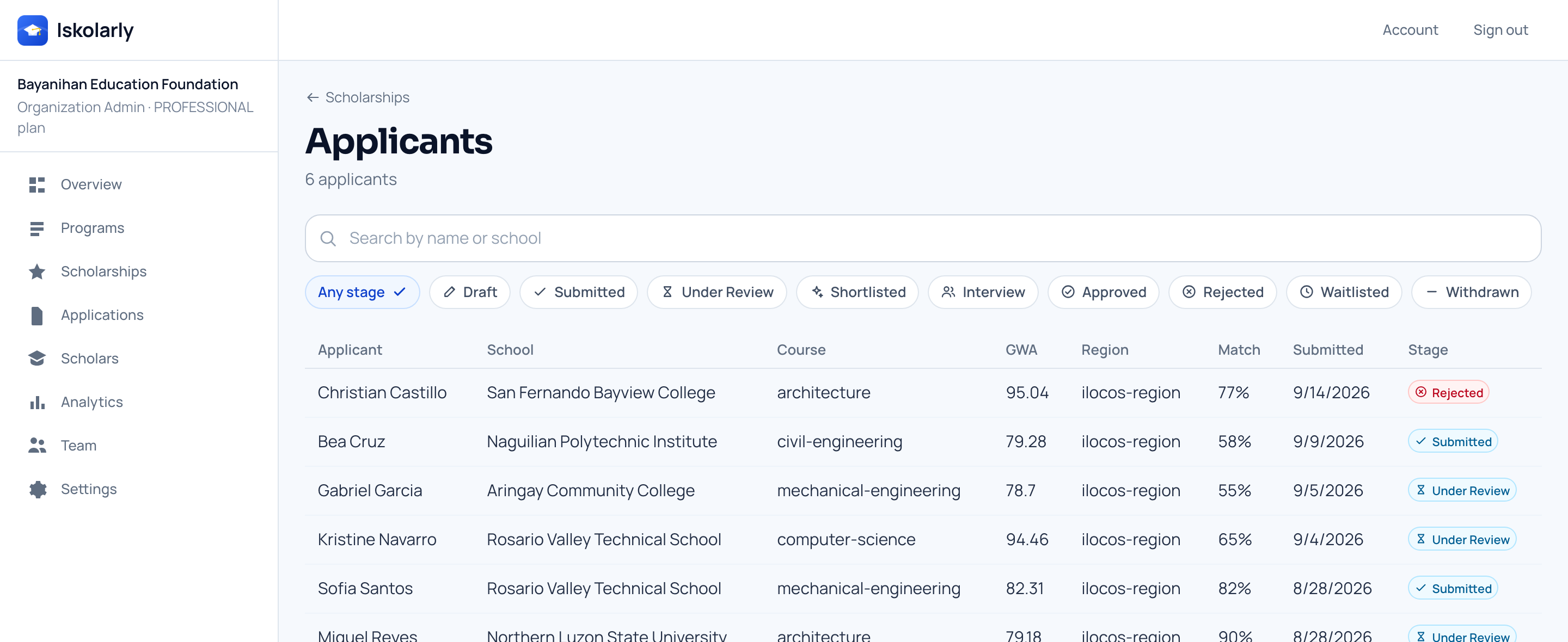
Everyone who applied to one round, with their school, course and grades. Example details shown. Step 3
Move people through the stages, in order
Every organization starts with the same nine stages, from sent through review and shortlist to approved or not selected. The whole team sees the same status.
- Invite the people who help you decide, each with only the access they need
- Notes and decisions sit with the form, not in somebody’s inbox
- A move the stages do not allow is refused, so nothing skips a step
- Moving someone to interview tells them so; you still arrange the time yourselves
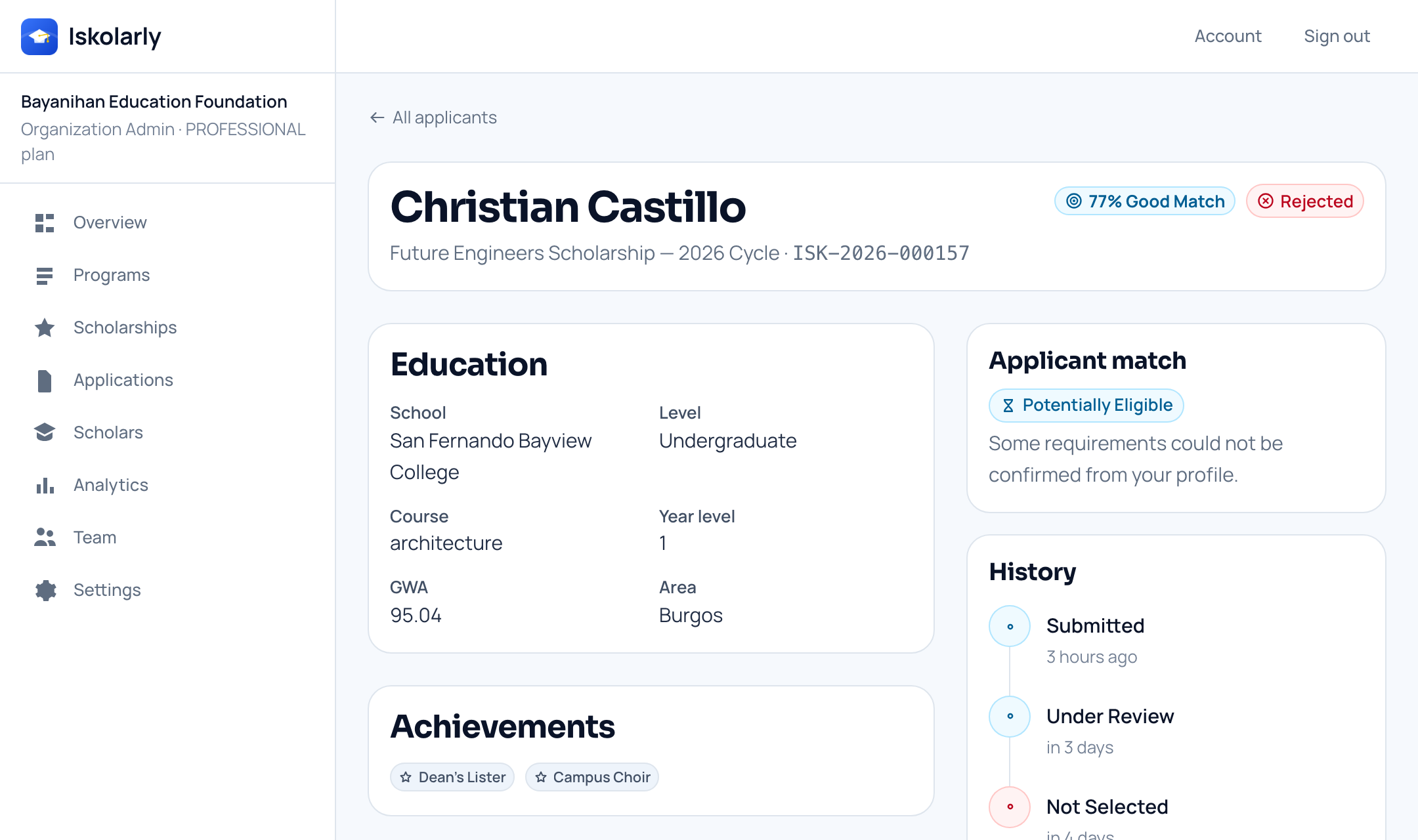
One form open for review, with the buttons that move it to the next stage. Example details shown. Step 4
Make the offer, and keep the history
Offer the award to the students you picked, with the amount and the school year. Each of them accepts or turns it down in their own account.
- Every stage change and every offer is written down with its date
- The history is written as you work, not typed up afterwards
- Each round keeps its own numbers, so last year’s stay last year’s
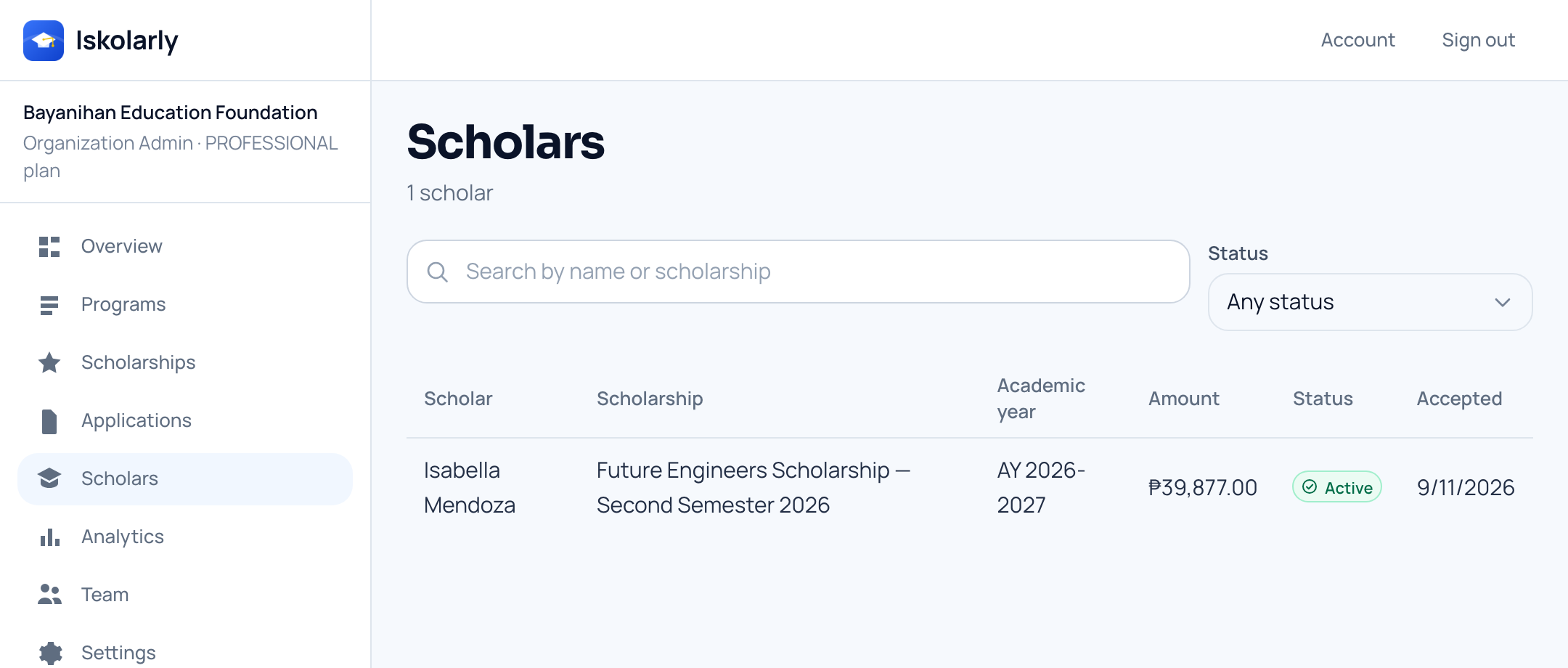
Everyone you have funded, with the award each one accepted and when. Example details shown.


What a sponsor ends up with
- queue instead of an inbox
- One
- decision written down as it happens
- Every
- list of everyone you have funded
- One
A school works both sides of the same desk.
You hand out your own grants, and your students are hunting for outside help your office never had time to find. Both happen here.
Step 1
Publish the grants your school already funds
Put up the awards your institution pays for, with the rules you already apply and the papers your office already asks for.
- Each grant keeps its own round, so this year’s rules do not overwrite last year’s
- Ask for exactly the papers you need, and nothing more
- Students apply in the same place they read everything else
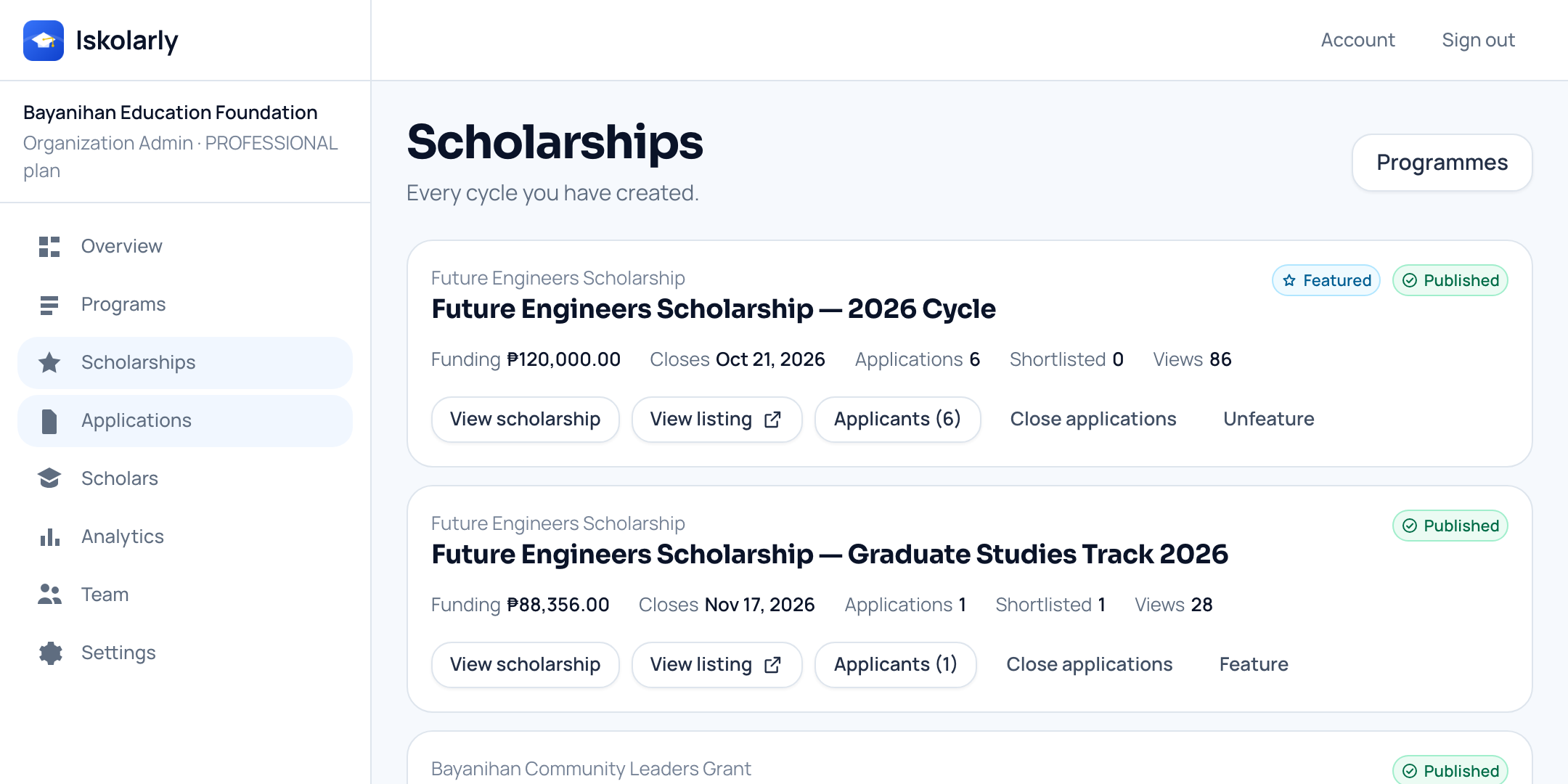
The awards a school has published, with the funding and closing date of each. Example details shown. Step 2
Grades and year level are checked for you
The rules run as each student applies, so your office is not chasing records just to work out who qualifies.
- People arrive already measured against what you asked for
- A missing record shows as not yet known, not as a failed rule
- Papers stay in the student’s own vault; your list shows which ones were attached
Everyone who applied to one round, with their school, course and grades. Example details shown. Step 3
Give every office the access it needs
Financial aid, the dean’s office and the committee all work the same list. You choose what each of them is allowed to do.
- Three roles: an admin, a manager, and a reviewer who can read and comment only
- A reviewer cannot publish a scholarship or approve a student
- Everyone sees the same status, and internal notes are for your team, never students
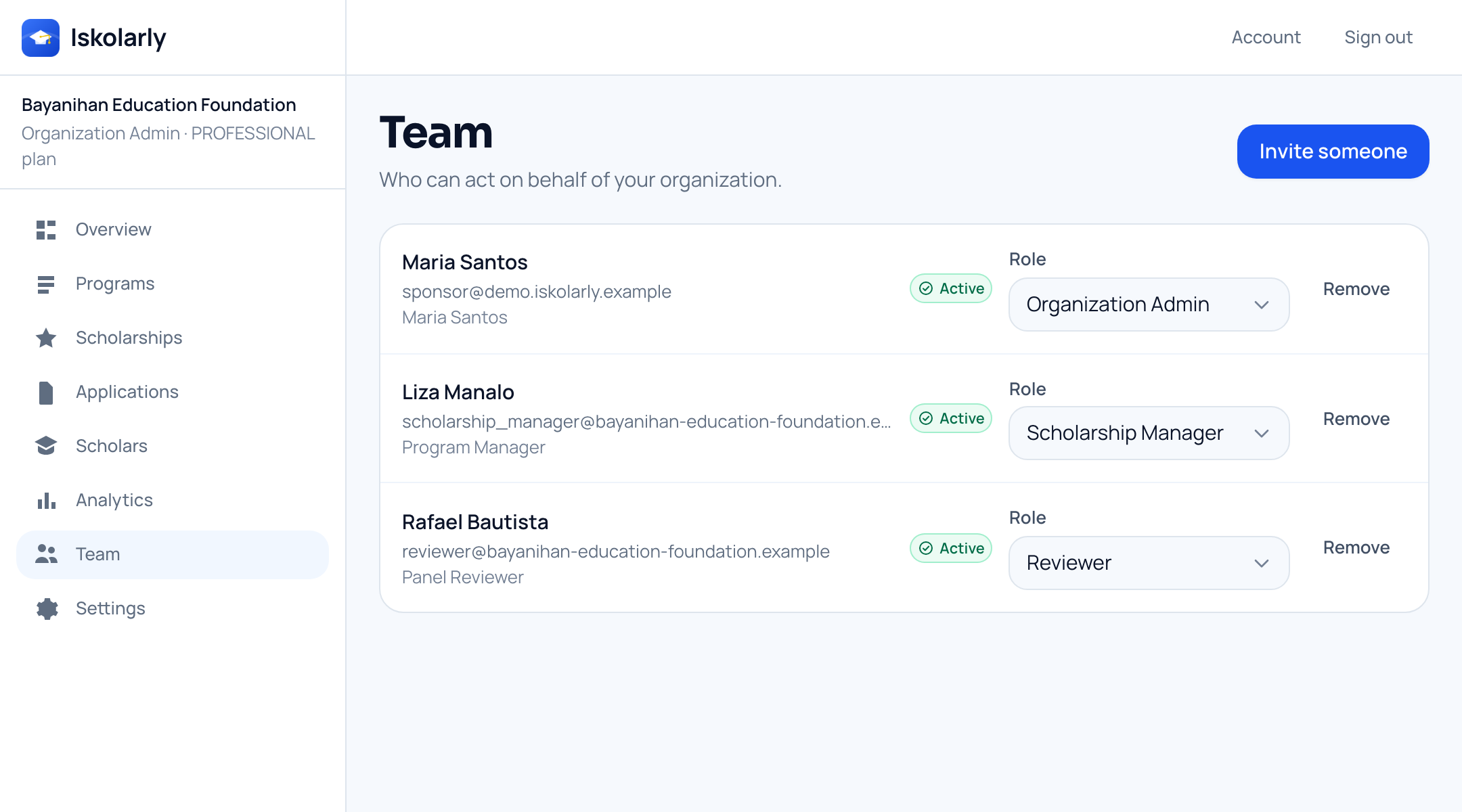
Your team, and the role each person holds. Example details shown. Step 4
Your students also see everyone else’s grants
From the same account, students find and apply to awards from outside your institution. Your office stops being the only way in.
- Students see outside funding while there is still time to apply for it
- No extra account, no second sign-in, no separate website
- Your own grants sit in the same list as everybody else’s

The public scholarship list, with awards from several sponsors side by side. Example details shown.


What a school ends up with
- list across every office
- One
- your grants and everyone else’s
- Both
- record kept in the student’s account
- Every
Privacy
What we do with your information
Your birthdate, what your family earns and your papers are private. Sponsors never browse them.
A sponsor sees your form only after you send it to them, and only the parts they need in order to decide.
Social proof is only ever a count — how many students saved a scholarship — never a list of names.
Your uploaded files stay in your account. A sponsor sees the name of the paper you attached, and nothing else.
Questions
Before you start
- Does any of this cost a student money?
- No. Looking around, checking whether you match, and applying are free for students and always will be. The organizations that run scholarships pay for the tools they use to run them.
- Do I need an account just to look around?
- No. The scholarship list and every listing are public. An account is what lets you save a shortlist, react, see your own match and apply.
- What happens if my profile is not finished?
- A rule we cannot check yet is shown as not yet known — never as failed. You can still apply. A blank can lower how well you match on the sponsor’s list, so fill it in when you can.
- Who can see my grades, my family income and my papers?
- Nobody browses them. A sponsor sees your information only after you send them a form, and only the parts they need in order to decide. Your files are not handed over: a sponsor sees that you attached a transcript, not the transcript itself.
- Can any organization post a scholarship anywhere?
- No. A government office or local government unit can only target the area our team has confirmed it covers, so a city office cannot open an award to the whole province.
Ready when you are
Nothing here needs a sales call to try.
Still working out the basics? Read the scholarship guides.